Posts

All China Android Pattern And Google Account Unlock done

Image
Any China Android Mobile Pattern & Google Account Lock Unlock Done How Are you anybody ?? your phone want Google Account & Too many pattern Don’t worry Iam here no problem   Solution no 1 Remove your mobile battery sim and mmc adjust battery fully charget then adjust battery and Hold power botton + vol up wait until show android logo recovery mode Many phone worked   Power botton And vol down recovery mode Some phone is power botton + vol up + home botton recovery mode Show Recovery in same type 1-reboot system now 2-apply update from adb 3-apply update from sdcard 4-apply update from cache 5-wipe data/factory reset 6- backup user data 7-restore user data select wipe data/factory reset after select reboot system now and enjoy it any problem call me & mail always help with you

Videocon A52 Too Many Pattern Done

Image
Power off and remove sim,sdcard very inprotant is battery full charged minimum charge is 50% then work ! please work carefully Agjust battery then hold power botton + volume down & wait show the recovery mode 1-reboot system now 2-apply update from adb 3-apply update from sdcard 4-apply update from cache 5-wipe data/factory reset 6- backup user data 7-restore user data Select wipe data/factory reset select with power botton after select yes delete all user data select with power botton wait few minute  working auto after show main menu 1-reboot system now 2-apply update from adb 3-apply update from sdcard 4-apply update from cache 5-wipe data/factory reset 6- backup user data 7-restore user data this time select reboot system now & enjoy it 100% test me

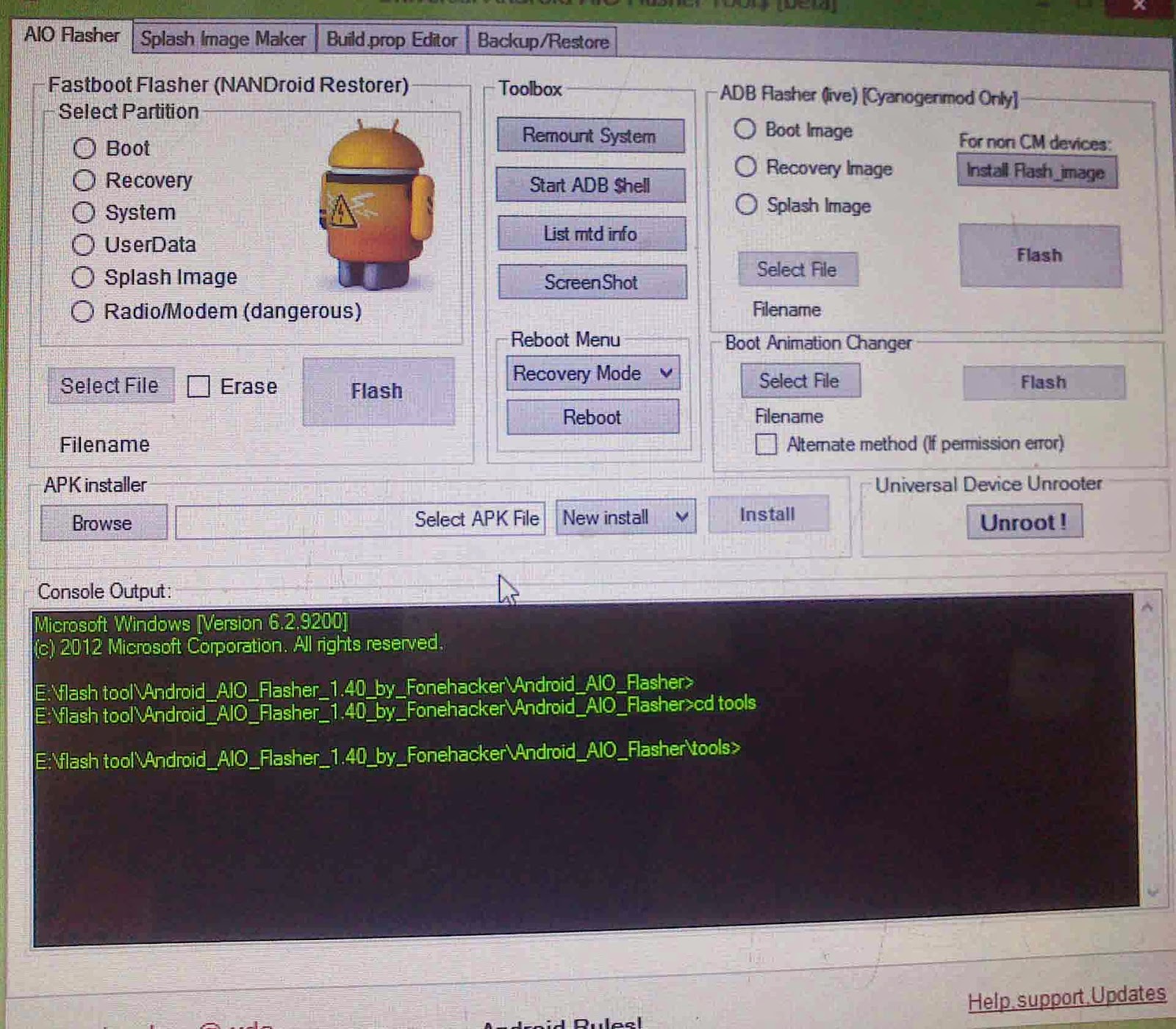
Easy Pattern Unlocker Sofware Android Aio Flasher

Image
                                                                                                                     Download Here

Sony Xperia Hard Reset Done

Image
        1.switch on mobile "mobile show google lock" 2.then go to emergency call press this code *#*#7378423#*#* after pressing key display show four option *service info *service setting *service texts *customization setting 3.choose "customization setting" 4.then press "reset customization" phone will reboot & reset

Symphony W18 Too Many Pattern Done

Image
       Step1. Press and hold power key & Volume up to boot up your device then u wil see Step2.Press Volume up button then press Volume Down u will see android logo (No command ) Step3.Press power button Step4.Volume down select wipe data/ factory reset then Press Volume up and do job (Select Button Volume up)

Micromax A59 Hard Reset Done

Image
                                     Download Full Solution --- Download Here Only 1.4 Mb                         Download Video Solution- Download Here                       

JURASSIC Universal Android Tool v.5.0.2

Image
    FEATURES: 1. SERVICE TAB A. Reset user code B. Reset pattern C. Read pattern code D. Code sender E. Wipe data (factory reset - ADB ) F. Wipe data (factory reset - FASTBOOT ) G. Wipe history H. A13 Tablet Root 2. EDITOR TAB A. Build.prop editing (flashing of modified build.prop requires root on some devices) B. Script.bin editing (A13 devices) C. SN Changer for A13 Devices (FIRST IN THE WORLD!!!) D. Boot animation flasher E. APK Extractor (Just for fun! – see what’s inside of any APK’s) 3. MEMORY TAB A. Read memory info/status (system/data/sdcard-internal/external B. Read CPU info C. Read module info D. Read battery data/wipe battery stat E. Read/check device partition 4. MISC TAB A. Backup – SD Card files, CAMERA files, Installed apps B. Dump A13 Firmware C. ...